Product tour
Inside the getpeppr console.
From a list of invoices to the detail of a single delivery. A closer look at the workspace behind your integration.
Screenshots rendered with the console UI and fictional demo data. No invoices were sent. Names, identifiers, amounts, statuses and usage shown here are examples.
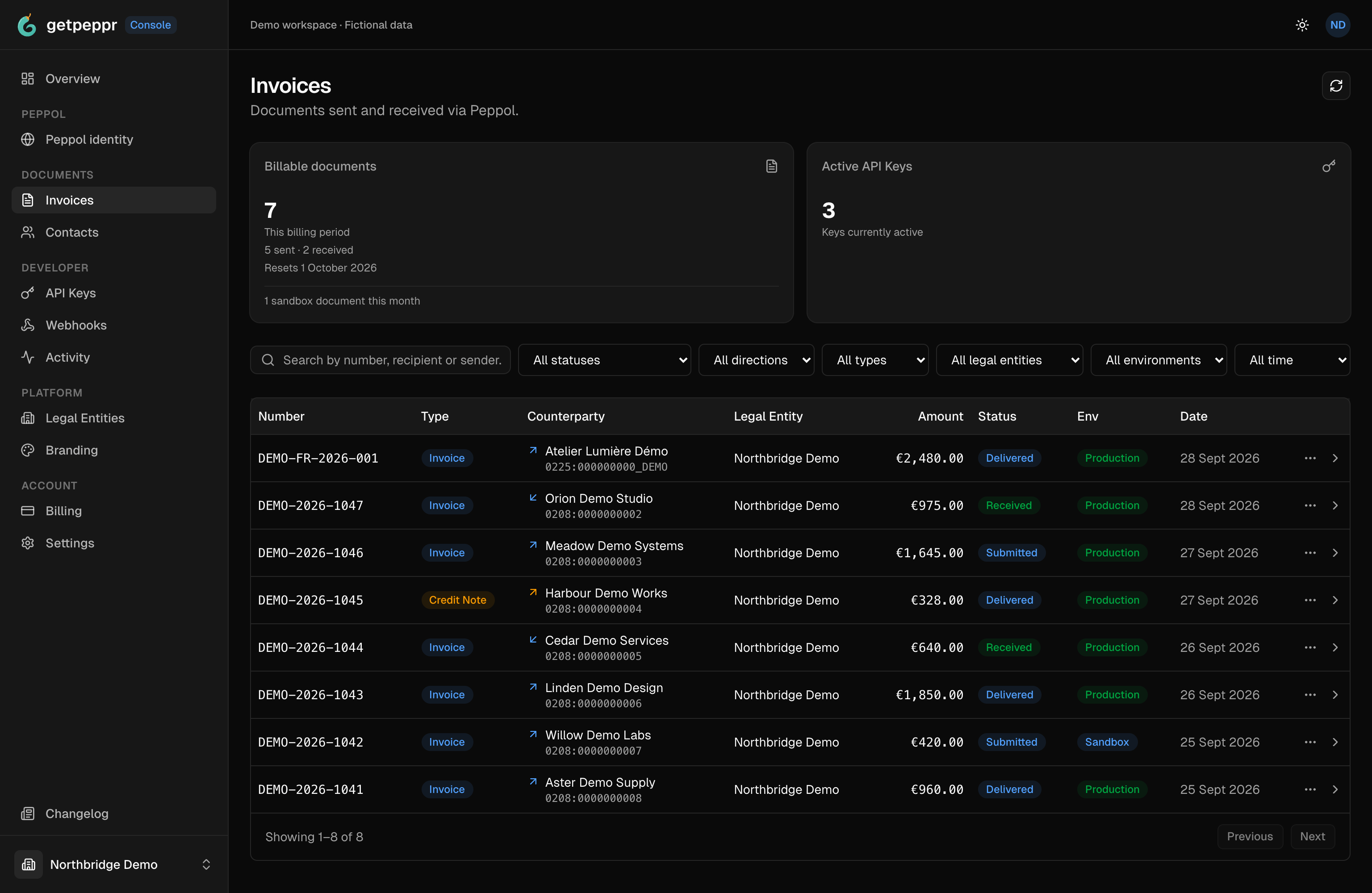
01 / Invoice list
Your invoices, in one place.
Browse sent and received invoices, filter by environment and status, and open a document for a closer look.
 Open original PNG in a new tab.
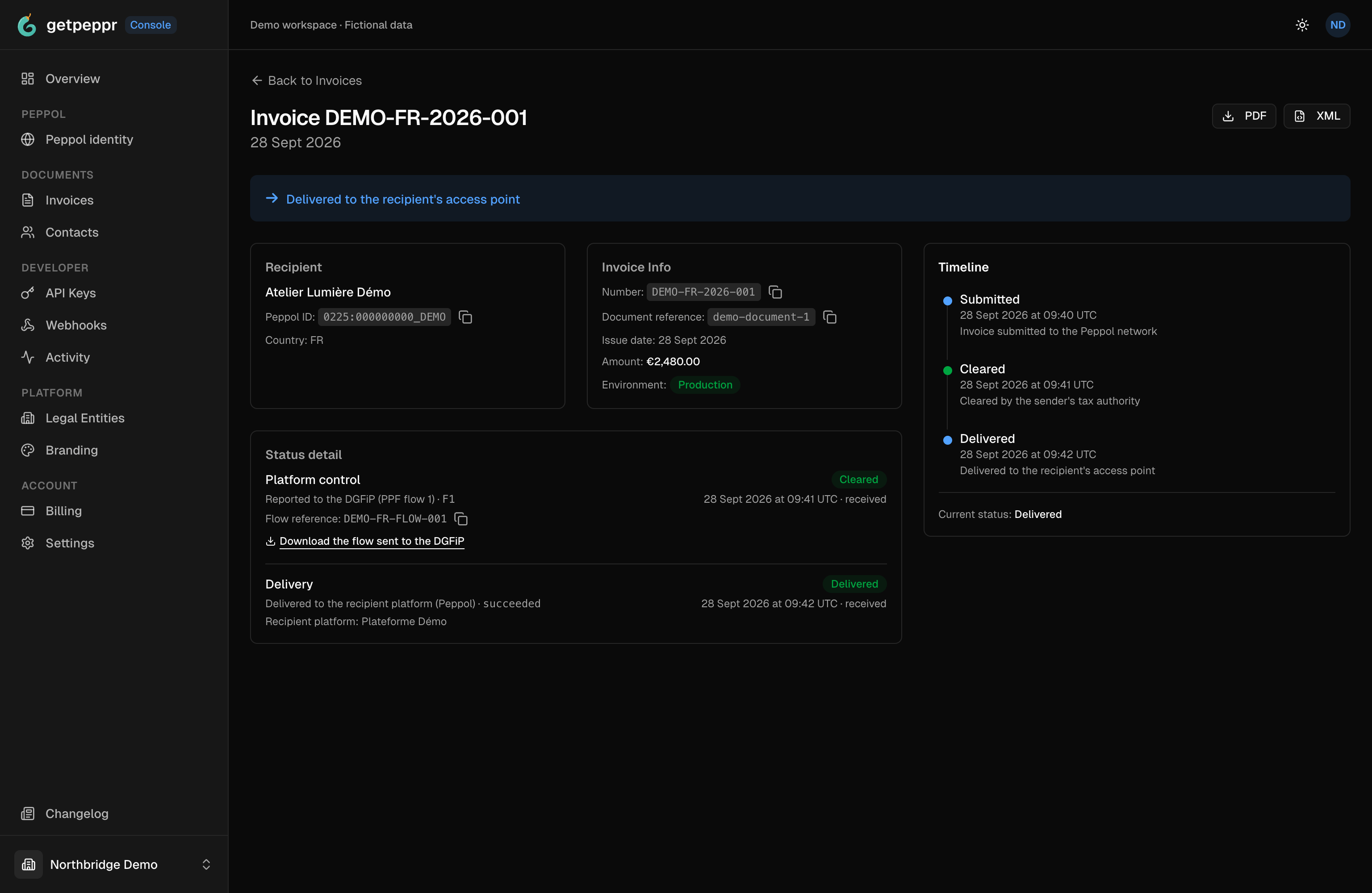
02 / Invoice detail
Follow the detail behind a status.
Open an invoice to see its recipient, document reference, event timeline and separate platform and delivery details.
This French example is simulated, including its “Production” label and fiscal and delivery statuses. It is not evidence of tax acceptance or production availability. Check France availability →
 Open original PNG in a new tab.
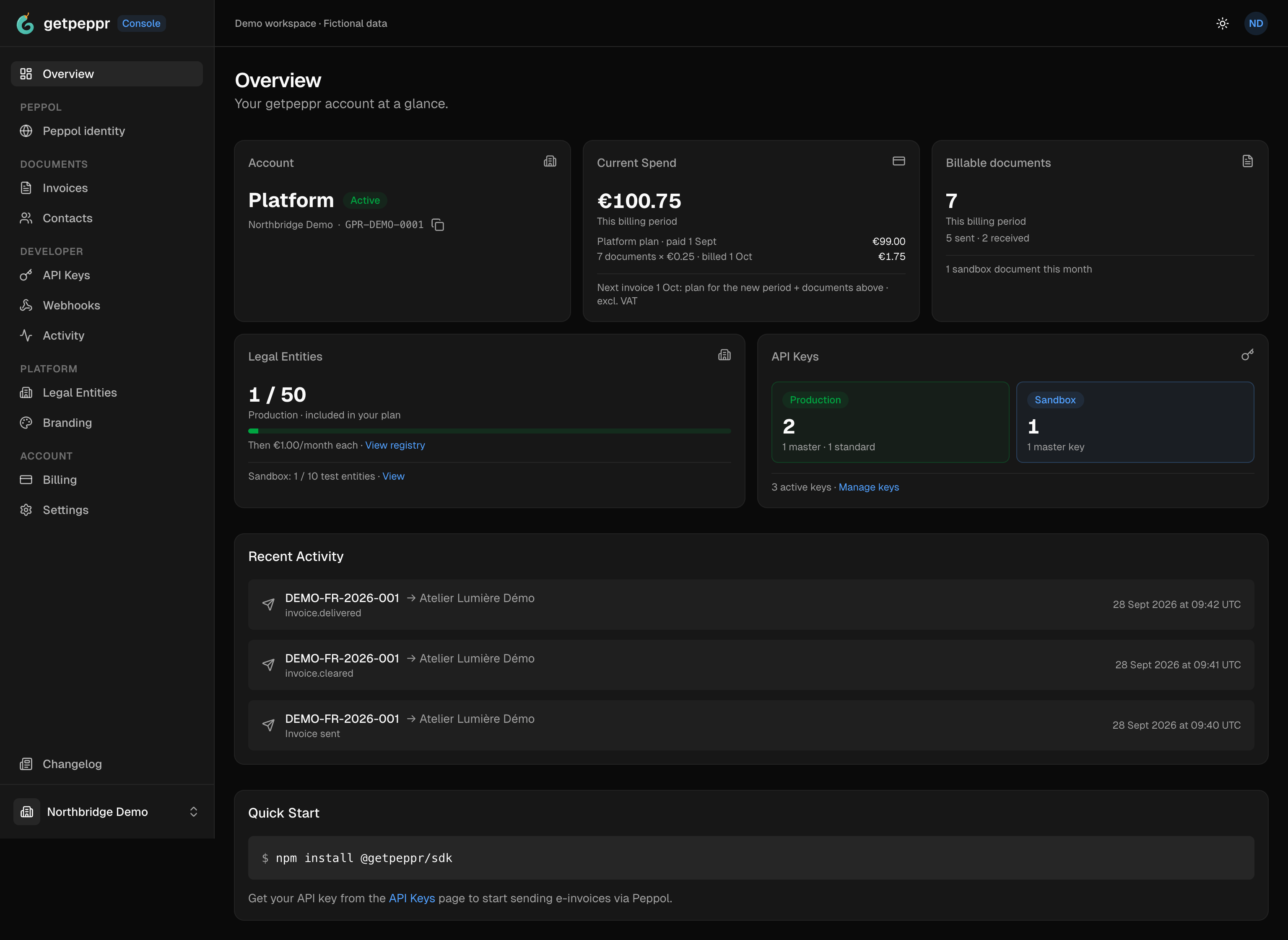
03 / Account overview
Keep your account in view.
Check your plan, document usage, legal entities and API key counts, with recent activity in the same overview.
 Open original PNG in a new tab.
Ready to explore your own workspace?
Create an account, or read the integration guides first.